Install the plugin
To use this plugin, you'll need to meet the following requirements:
1. Download Obsidian
If you don't have Obsidian yet, you can visit the official website of Obsidian and download the plugin from there.
2. Add the plugin
Note for version 1.0.0:
The plugin isn't on the Obsidian Plugins MarketPlace yet because they're temporarily not accepting PRs. Therefore, the current plugin download method is temporary, through BRAT.
Once you have Obsidian downloaded:
If you've never used a community plugin before, go to: Settings → Community plugins → select Turn off restricted mode
Install the BRAT plugin. You can do this through the website or through Community plugins → Community plugins → select Browse.
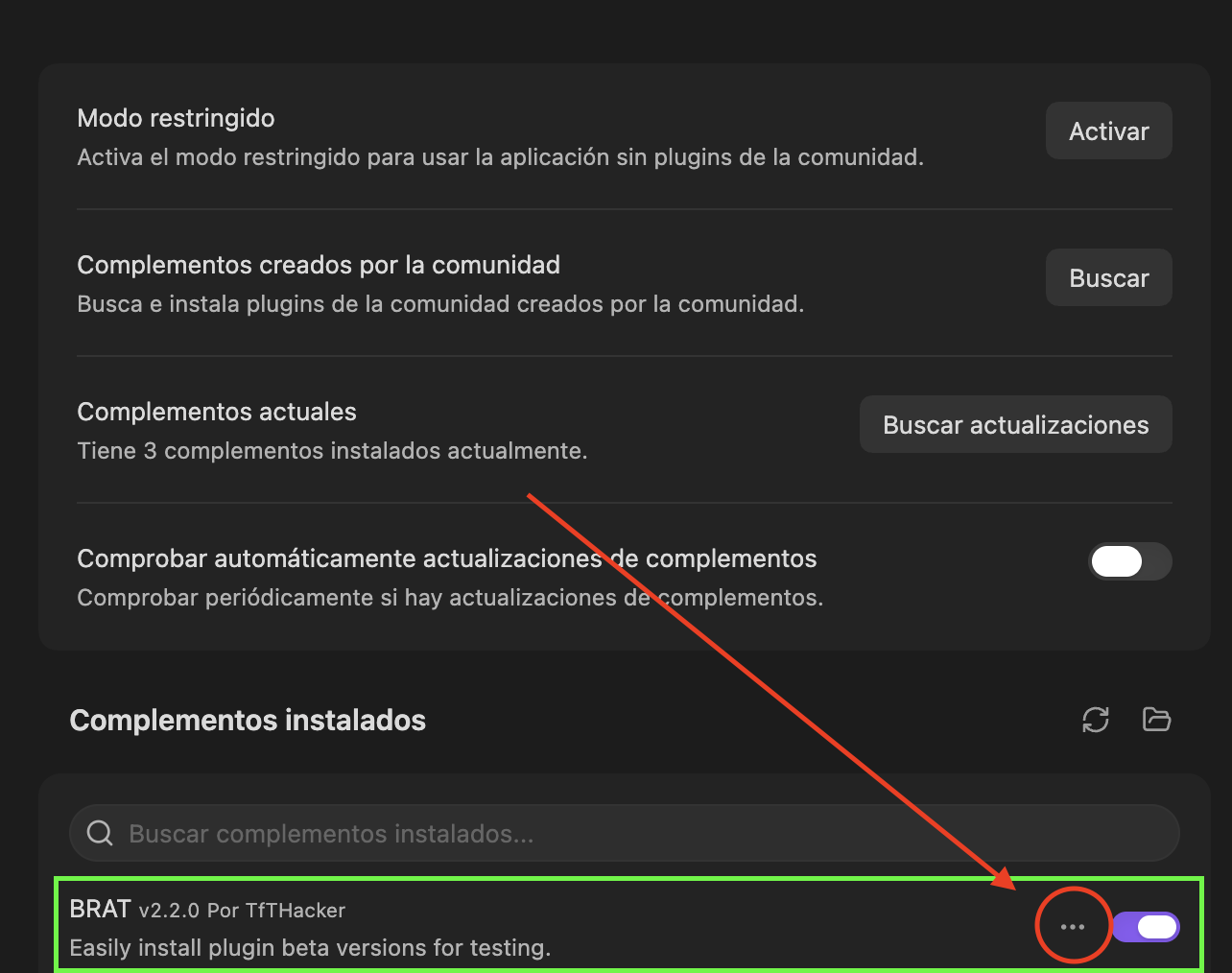
Once you have BRAT installed, access its settings through Community plugins → click the three dots to the right of BRAT → Settings →
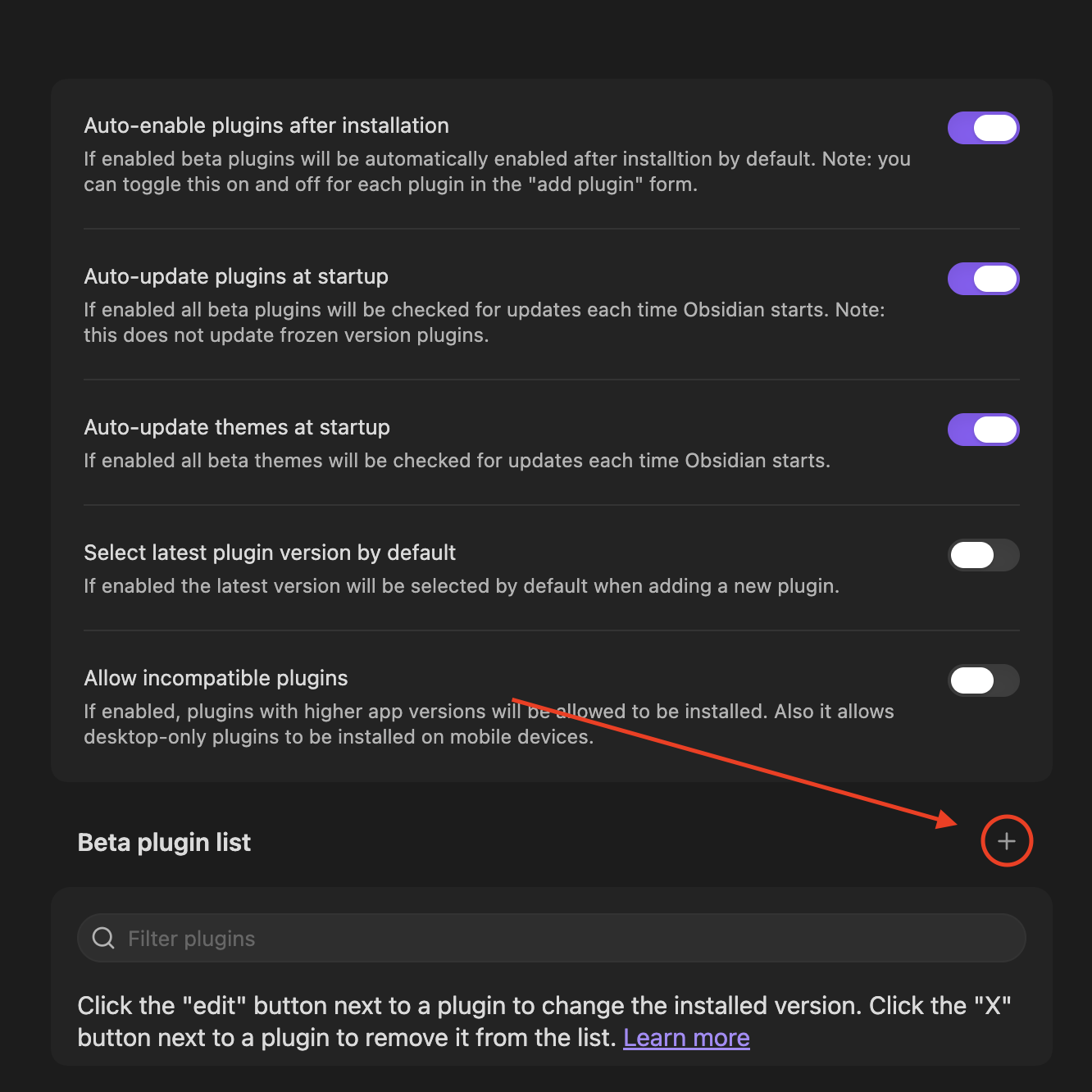
- In settings, click the + to the right of
Beta plugin list
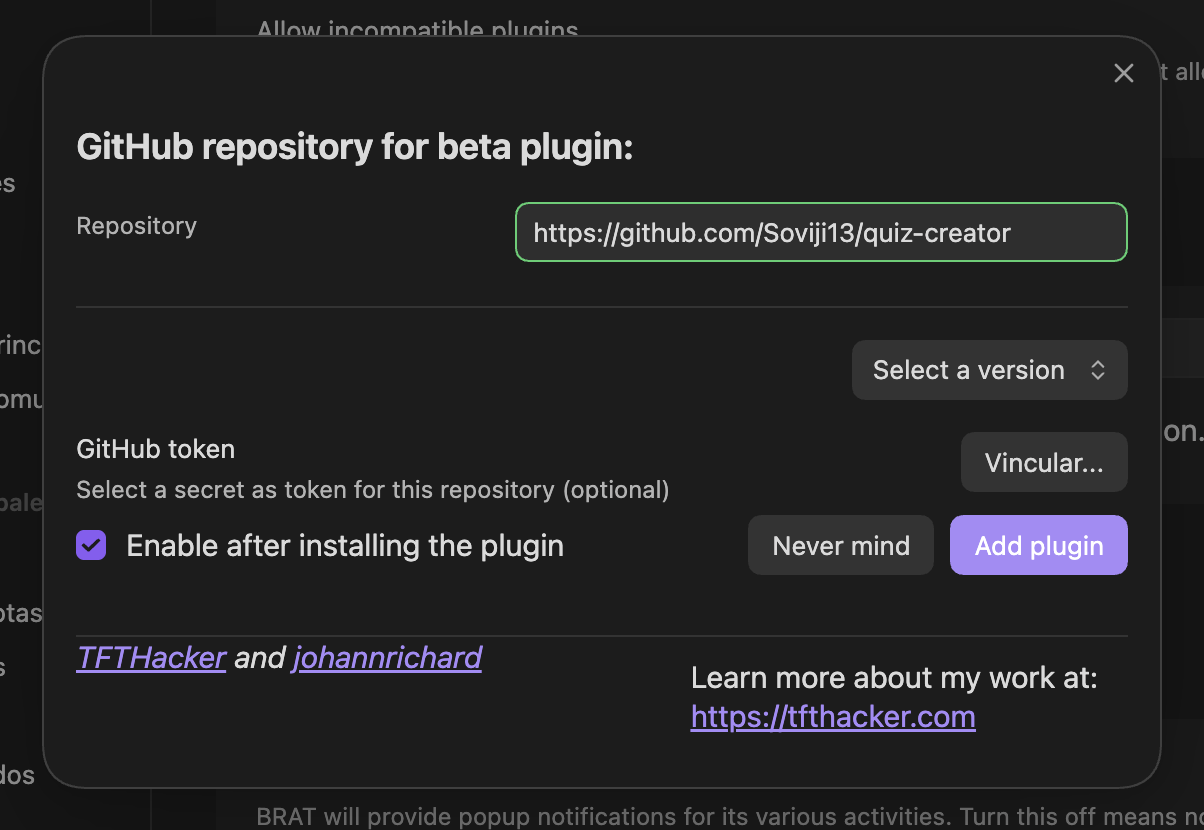
- Paste
https://github.com/Soviji13/quiz-creatorinto the input field, wait a moment until the border turns green, and select Add Plugin. Don't touch anything else.
Done! You now have the plugin installed.